Introduction:
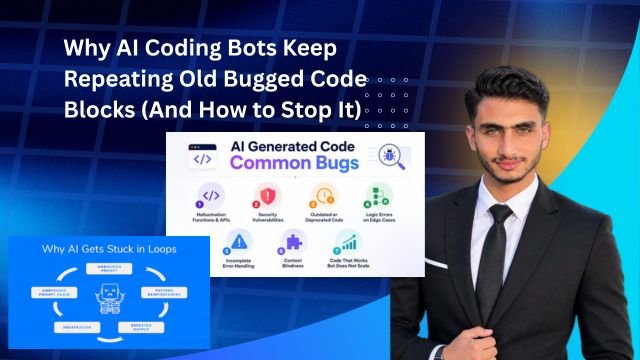
Look whenever we use ChatGPT Claude or any AI coding assistant to build software nowadays everyone faces a common frustration. You ask the AI to fix a bug it gives you a piece of code you test it and the error remains exactly the same. Then when you point out This error is still happening the AI takes that same old bugged block tweaks it slightly and hands it right back to you. This loop just keeps going continuously.
Actually if you want to understand Why AI Coding Bots Keep Repeating Old Bugged Code Blocks (And How to Stop It) you first need to know how Large Language Models (LLMs) training and context windows actually work. In this guide we will talk in detail about how you can break this annoying loop and extract 100% clean error-free code from AI.
The plain truth is that without a proper prompting strategy you are just wasting your time. Let’s look at the technical story behind this and how to fix it.
Why AI Coding Bots Keep Repeating Old Bugged
When an AI model generates code it operates on probabilities. This means that once a code snippet has appeared in your chat history the weight of those tokens becomes very high inside the model is context window.
The thing is LLMs do not just forget old messages instead they treat them as part of their active context. When you repeatedly say This error is occurring the AI tries to patch around that old code block rather than solving the underlying error which only makes the bug more complex.
-
Context Pollution: When a chat thread becomes too long the AI gets confused about which code is actually the latest version.
-
Token Bias: An AI’s neural network is heavily inclined to repeat old patterns unless it is provided with a fresh state.
-
Lack of State Awareness: The AI does not have direct access to your actual runtime environment so it relies entirely on text guessing.
You can read more technical details about this by checking out the best practices on OpenAI Documentation.
The Technical Mechanism Behind LLM Hallucinations and Context Loops
The next thing worth understanding is why LLM hallucinations and code repetition happen in the first place. Essentially coding bots are trained on massive datasets from GitHub and open-source repositories. Those datasets contain thousands of files filled with common bugs and their partial fixes.
When your prompt is slightly ambiguous the AI falls back on the most probable sequence from its training data. The result is that it pulls up that exact old bugged syntax it saw most frequently during its training phase.
-
State Resetting Failure: Until you clear the chat thread and provide a fresh prompt the model stays trapped inside its old weight matrices.
-
Over-reliance on Syntax: The AI focuses more on syntax formatting than actual logic which keeps the error alive underneath.
To tackle this problem we have several solid steps lined up ahead.
Fixes to Stop AI from Loop-Repeating Buggy Code
Look if you want to stop the AI from repeating the same mistakes over and over you need to change your interaction style. You can break this cycle by following these 4 steps:
Immediately Drop the Old Chat Thread
Whenever a code block repeats two or three times and the bug is not fixed stop wasting time in that old chat. Abandon that thread right there and open a completely fresh chat window. This reduces context pollution to zero.
Provide a Clean Slate Architecture Prompt
Instead of pasting code directly into a new chat give the AI a system prompt first. For example: You are a senior code reviewer. Do not assume or repeat previous buggy patterns. Analyze the following logic from scratch. This trick forces the model to think from a brand-new perspective.
Provide Exact Error Tracebacks
Don’t just say Code is not working. Instead paste the entire terminal traceback or browser console error log. When the AI knows the exact line number and exception type it stops blind guessing.
Drive Modular Code Generation
Don’t ask for a 500-line application all at once. Tell the AI to write only one core function first and once that is tested move on to building the next module. This incremental approach prevents bugs from hiding.
Workflows {AI coding assistants are created}
Not all AI coding assistants are created equal. Some models fall into context loops quickly while others handle them much better. Let’s look at a quick comparison:
| AI Model / Tool | Loop Resistance | Context Management | Best Suited For |
| Claude 3.5 Sonnet | High | Excellent | Complex logic & deep debugging |
| ChatGPT (GPT-4o) | Moderate | Good | General scripting & fast syntax |
| GitHub Copilot | Low-Moderate | Real-time | Inline auto-completions |
Advantages and Disadvantages of Breakdown
-
Advantages of Switching Context:
-
The baggage of old bugs is completely wiped out.
-
The AI generates code with fresh logic.
-
You save plenty of valuable time.
-
-
Disadvantages of Long Threads:
-
The model grows lazy and starts taking shortcuts.
-
Token costs increase and response speeds drop.
-
Frequently Asked Questions
Why does the AI keep giving me code with the exact same error even after I tell it there is an error?
Basically as the chat history grows longer the weight of the old code inside the AI’s active context window becomes so high that it overrides your correction and regenerates the same old pattern. The best remedy is to start a fresh chat thread.
Can changing system prompts stop code repetition?
Yes! If you put strict constraints in your system prompt like Do not repeat previous code blocks write a completely alternative implementation the AI tries to write new logic instead of blindly copy-pasting.
Do some AI models repeat fewer bugs compared to others?
Absolutely. For instance Claude 3.5 Sonnet is considered quite advanced in code reasoning and logic tracking which is why it gets stuck in repetitive loops much less often than ChatGPT or other smaller models.
Should I give the entire project to the AI all at once or in pieces?
Always use a modular approach. Giving an entire project all at once causes the AI to miss details and repeat generic snippets. Requesting small functions or components step-by-step is always much better.
What should I do if the AI makes the same mistake even after opening a new chat?
If the same issue occurs in a new chat it means there is a logical flaw in your prompt or the dependency you are using (such as an outdated library version) is being misinterpreted by the AI. You will need to explicitly paste the library’s documentation into your prompt.
Advanced Prompt Engineering Strategies to Break the Loop
Look if you do not want to open new chat threads repeatedly and want the AI to abandon old buggy patterns right within the current chat you need to use advanced negative prompting. In reality LLMs react much better to negative constraints compared to positive instructions.
When you simply tell the AI to Fix this it thinks according to its own defaults. But when you explicitly tell it. Do not use the previous approach of parsing variables globally instead rewrite this function using local scope and a clean switch-case statement the AI gets a clear boundary. This narrows down its search space and stops it from repeating that old bugged block.
Enforcing State Validation via Output Constraints
Another thing you can do is demand logic verification alongside the code from the AI. You can state: Before providing the code list 3 reasons why the previous code block failed and how your new implementation fundamentally changes the logic. When the AI writes out the flaws of its own previous code its neural path shifts and it generates fresh code.
AI Coding Environments and Extensions
If you are tired of standard web interfaces several modern development environments and extensions have emerged that handle these context loops automatically.
-
Cursor IDE: This is an AI-first code editor that indexes your entire codebase. It provides file-level context so unlike the ChatGPT web version it doesn’t randomly repeat old bugs because it actually knows what code resides in your files.
-
Aider (CLI Tool): This is a command-line AI pair programming tool tightly integrated with git commits. Whenever code is fixed Aider automatically tests it within git completely eliminating the chance of loop repetition.
The clear takeaway here is that shifting from browser-based chat to native AI IDEs solves this looping problem to a large extent.
Final Think
The most important thing to remember is that AI coding bots repeating old buggy code is a common architectural limitation not a glitch. Unless you give them fresh context strict negative constraints and proper error tracebacks they will keep spinning in those same loops.
-
Pro Tip: Always review your own code and treat the AI like a junior developer who performs best only when given precise direction.
Final Thought: The key thing is that AI is a smart assistant not a replacement. Until you understand the logic yourself the AI will keep running you in circles.