











Let’s Get Started:
Look in the blogging world when you wake up in the morning and check Google Search Console and see a big red alert – Sitemap could not be read or 404 Not Found – it is natural to feel a heartbeat. You optimized your website added new articles everything was going well but suddenly you encounter the problem of Why Yoast SEO Sitemaps Throw 404 Not Found Page Error Codes.
In fact if Google doesn’t even find your sitemap how will your new pages be indexed? Where will the traffic come from? In this article we are going to tackle this very problem. We’ll explain in simple terms why this error occurs and how it can be fixed in no time all in a very friendly Hinglish style. Most importantly we’ll approach this not in technical jargon but like a friend.
Why Yoast SEO Sitemaps Throw 404 Not Found Page Error Codes
“So the thing is whenever a new plugin or WordPress update comes out some of the backend settings get changed”. ‘When your Yoast plugin generates an XML sitemap it yourdomain.com/sitemap_index.xmlcreates a virtual URL ( )’. “But sometimes the server treats it as a physical file or the rewrite rules (which are in the .htaccess file) get corrupted”.
There are some main reasons behind this error:
-
Permalinks Cache Glitch: ‘Not refreshing the permalink structure of WordPress is the biggest culprit’.
-
Server Caching Issues:” Caching plugins (like WP Rocket or LiteSpeed) on NGINX or Apache servers cache old sitemaps”.
-
Plugin Conflict:’ Another security or cache plugin blocking Yoast’s sitemap endpoints’.
-
Theme or .htaccess Corruption: The server’s main rewrite rule is broken causing WordPress to not recognize virtual URLs.
You are WordPress Official Permalinks Documentation You can understand how WordPress handles URLs by reading this. Basic WordPress Troubleshooting Guide If you are strong then you can solve such problems without any panic.
How Does This XML Sitemap System Work?
“See think of a sitemap as a map that guides Googlebot (which is like a delivery boy) to every corner of your website. When you install Yoast SEO it automatically pulls up posts pages and categories from your site’s database and creates them in a clean XML format”.
But the Problem arises when Communication between the server and WordPress breaks down. Yoast says Brother I’ve created a sitemap and the server says I can’t Find such a file brother 404 Not Found! This mismatch causes Googlebot to return empty-handed. The next thing that happens is Your ranking drops because Google doesn’t know what new content has appeared on the site.
Therefore it is very important to understand this mechanism so that you know where the car is getting stuck. If you want Yoast SEO Help Center You can also check their technical details by visiting our website. Advanced SEO Optimization Secrets Must read it in which deep secrets about indexing are revealed.
How to Fixes 404 Error
Otherwise there is no need to worry because the solution is hidden right in your dashboard. Here’s a simple 4-step process to banish this 404 error once and for all:
-
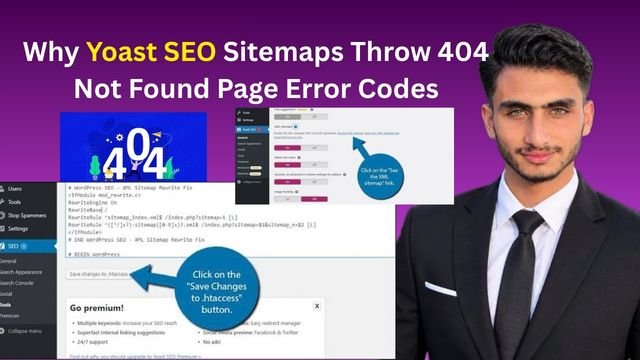
Flush Your Permalinks: First go to your WordPress Dashboard. From there click Settings > Permalinks . You don’t have to change anything just scroll down and click the Save Changes button twice. This refreshes all of your site’s redirect rules and restores your sitemap in 90% of cases.
-
Clear All Server and Plugin Caches: If you are using a caching plugin (like LiteSpeed WP Rocket or W3 Total Cache) immediately click Purge All Caches . If you use Cloudflare turn on development mode there as well and clear the cache.
-
Check Yoast XML Sitemap Toggle: Go to the Yoast menu ( SEO > General > Features ). Check whether the XML sitemaps toggle button is On or accidentally Off. ‘If it is off turn it on and save’.
-
Inspect .htaccess File (Advanced): ”If the above steps don’t work
.htaccesscheck the file in your site’s root directory using a file manager or FTP”. ‘Ensure WordPress’s standard rewrite rules are properly implemented there”.
Yoast SEO Plugin for WordPress
Look if Yoast’s sitemap bugs or other errors have you confused there are even better options available. You might want to consider switching to these plugins for your project.
-
Rank Math SEO: This is the fastest lightest and most feature-rich plugin available today. Its sitemap module is so smooth it’ll rarely generate a 404 error and you also get free advanced schema markup.
-
All in One SEO (AIOSEO): This is a proven and reliable player. “Setting up its sitemap generator is a breeze and it is beginner-friendly and easily handles even heavy-traffic sites”.
-
SEOPress: “If you need a clean bloat-free and white-label SEO plugin that does its job quietly without unnecessary notifications SEOPress is a great alternative”.
If you want it Rank Math Official Website You can go there and compare their features. Also our Rank Math vs Yoast SEO Detailed can make your decision even easier by reading the article.
Advantages and Disadvantages of Data Breakdown Table
” fact every plugin has its own advantages and disadvantages”. ‘This data table will help you understand the differences between Yoast SEO and its alternatives’.
Advantages of Fixing Yoast Sitemap 404 Error:
-
Instant Google Indexing: Your new blogs and updates will start appearing in Google search results immediately.
-
Better SEO Health: No critical crawl errors will be visible in Search Console due to which the domain authority is strong.
Disadvantages of Ignoring the Error:
-
Traffic Drop: If the sitemap is missing then Googlebot will not reach your pages and organic traffic will gradually go down.
-
Wasted Content Effort: No matter how good an article you write unless Google indexes it there will be no benefit.
You are Fixing Common WordPress Errors Guide You can also check this to avoid future technical problems.
Frequently Asked Questions
Why Does a Yoast Sitemap 404 error suddenly appear?
The most common Cause is that WordPress permalinks aren’t flushed or reset. When you install a new plugin or clear the server cache the path to The virtual XML sitemap Becomes temporarily corrupted Causing the server to throw a 404.Will saving permalinks ruin my old SEO ranking or traffic?
Absolutely not! Simply going into Settings and clicking Save Changes refreshes the site’s rewrite rules. None of your URLs or rankings will be affected but broken links and sitemap issues will be fixed.What if flushing the permalinks still doesn’t fix your sitemap?
“Simply put if a basic fix doesn’t work completely purge your caching plugin’s cache (like WP Rocket or LiteSpeed)”. “If that still doesn’t work deactivate and reactivate the Yoast plugin or.htaccesscheck the rules file”.Does using a Rank Math sitemap not result in a 404 error?
Rank Math and other plugins can also cause errors if server rewrite rules are broken but their sitemap architecture is considered more robust so the chances of such problems occurring there are significantly lower.What is the Best way to Submit a sitemap to google search console?
‘Always enter your Base sitemap URL ([yourdomain.com/sitemap_index.xml](https://yourdomain.com/sitemap_index.xml)) in the Sitemap Section of Search Console’. “There is no need to add separate sub-Sitemaps (like post-sitemap.xml) because the index sitemap handles the Rest”.The Most important thing is not to panic about technical errors but to find solutions to them step by step. If you follow the methods above your sitemap Error will disappear in no time!
So why are you afraid? Go Open your dashboard flush the permalinks and Get your website’s SEO health back in the green!
-



