Let’s Get Started
Look if you use Notion to manage your workspace and have AI features enabled in your databases you are probably experienced this horrific incident at least once. When you configure the AI auto summary block within a table page you suddenly find that your hard-earned custom table page content has disappeared or been overwritten! This unexpected data loss has put thousands of creators and project managers to sleep.
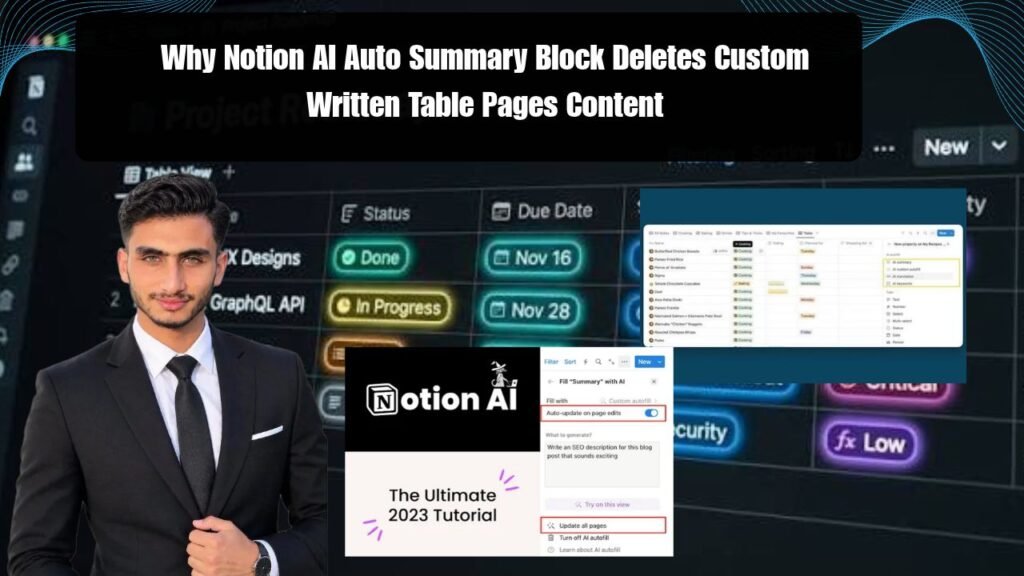
When you think about why Notion AI Auto Summary Block deletes custom written table pages content it might seem like it’ is a temporary glitch or you pressed the wrong button. But the truth is this issue occurs due to Notion’s database property inheritance and AI property update cycle where the AI block overwrites the page body or page properties mistaking them for its own output.
In this article we will explain in depth why this problem occurs and how you can save your valuable notes and database entries from this digital accident!
Notion AI Database Properties and Content
This simply means that when Notion AI generates an auto-summary or automated property in a database it refreshes the target field through background scripts. If That AI property is Linked to a place or Page body where you are already written your Custom text or detailed notes the AI engine treats it as an empty Dpace or raw data block and pastes the new Output there.
The point is that Notion’s relational Database structure treats each page as an independent document. When you insert an AI summary block within a page or as a database property the system triggers real-time synchronization. If a sync conflict occurs the old custom text is replaced without any warning.
How does this data erasure get triggered?
-
Database Property Scope Conflict: When AI property is synced with page body auto-update trigger flushes old text blocks.
-
Real-Time Sync Delays: In cloud-based architecture when multiple edits are saved simultaneously the AI script overwrites the older version.
-
Template Automation Errors: If you have created a custom database template in which AI summary is pre-configured then as soon as you create a new page that custom content gets replaced by AI placeholder.
For more technical updates on this matter you can Notion Official Help Center You can check it out. The next thing we’ll see is a solid step-by-step solution.
How to Avoid Data Loss and Keep Custom Content Safe
Look if you don’t want your important data ever to be deleted due to an AI update you’ll need to adopt a safe workflow. Here’s the exact 4-step process you can implement in your workspace right now:
Separate AI Properties from the Page Body
Never merge the AI summary property directly with the main page body.
-
Create a separate AI Summary Property column within the database instead of inserting the AI block directly into the page.
-
OurInternal Workflow & Workspace Management GuideAlways write important notes in dedicated text blocks and use AI properties only for metadata.
Learn to Use Page History (Version History)
If your data has already been deleted then there is no need to worry.
-
Click on the three dots ( ) in the top right corner of the page and select Page History .
-
From there you can restore your custom content by restoring a version from a few hours or days ago.Notion Version History Guide You can read its complete details from here.
Important Pages of Lock Do
Once you have completed writing your custom content lock the page immediately.
-
Go to Page options and enable Lock page so that no accidental AI automation or background script can make changes to it.
AI Autofill and Auto-Update Triggers of Limit
Go to the Database settings and check when AI properties are updated. Set this to Manual so That the AI runs only when you want it to without Automatically overwriting your data in the background.
Notion AI Summary vs Manual Database Properties
Let’s see what the difference is between AI automated properties and manual custom content and how you should structure your database:
Advantages and Disadvantages of Using Notion AI-Summaries in Databases
Notion AI is a Great tool but it has its Advantages and Disadvantages when it comes to databases:
Advantages:
-
Time-Saving Overviews: Best for understanding long documents and research papers in 2 lines without reading them completely.
-
Automated Tagging: Database properties automatic categorization see project tracking fast .
Disadvantages:
-
Data Overwriting Bug: As we discussed sometimes this deletes custom content.
-
Prompt Dependency: If the Prompt is not clear the AI spoils the Accuracy of the database by generating wrong summaries.
Frequently Asked Questions
Can Notion AI bring back my deleted custom content?
Data deleted directly using AI will not be restored but you can restore your old version from Page History by clicking on the three dots on the page in which your custom content will be safe.
How do I ensure Notion AI doesn’t overwrite my notes?
Create AI summary properties in separate columns (properties) of the database instead of always placing them within the page body and keep your main notes page locked.
Does this issue occur only in the free plan or in the paid plan as well?
This is a structural behavior of Notion’s database architecture that can occur in both free and paid workspaces if AI triggers are not configured properly.
Can Notion AI properties be set to manual mode?
Yes! You can go to the database property settings and set the AI automation to manual trigger so that it does not run in the background without your permission.
If the page is locked can Notion AI still write a summary?
No once you lock a page no automation or AI script can modify or delete the content of that page due to which your data remains 100% secure.
Most importantly,productivity tools are only beneficial when your data is secure so always use smart configuration and get into the habit of page locking.
Check your Notion workspace lock important pages and shift AI properties to separate columns!