Intro:
Look brother have you ever noticed that your phone gets discharged quickly even without Bluetooth turned on? Actually many mobile applications secretly misuse your hardware. If you want to understand why Android Apps Sneakily Turn On Bluetooth Background Scans Without Prompt then you have to look at the deep system mechanics of the phone. Look brother many times when we open any shopping or local maps app it activates our Bluetooth hardware in the background without asking for permission. This simply means that both your battery and privacy are at risk that too without you knowing anything.
Why Android Apps Sneakily Turn On Bluetooth Background Scans Without Prompt
Well he thing is in modern Android versions developers have a loophole for BLE (Bluetooth Low Energy) scanning. Whenever you install an app it asks for location or nearby devices permission. But many apps misuse this permission.
Most importantly these background scans are used to track your physical location so that companies can show you targeted ads through beacons and nearby smart devices. Look if you read the official Google Play Services guidelines or Android Developer Privacy Policy If you check you’ll find rules restricting background beacon scanning but many apps still find loopholes. These invisible scans not only drain your phone’s battery but also silently transmit your personal data in the background.
You can read our old guide about this. Guide to Mobile Battery Optimization & App Permissions You can also read in where we have explained in detail about background process limits.
How to Stop Background Bluetooth Scanning and Protect Privacy
If you want to prevent any app from secretly using the Bluetooth hardware on your phone here’s a clear 3-4 step path you can follow to fix this security flaw:
-
Access System Location Scanning Settings Go to your phone’s Settings then tap the Location or Security & Privacy option. From there find the Location Services or Scanning option.
-
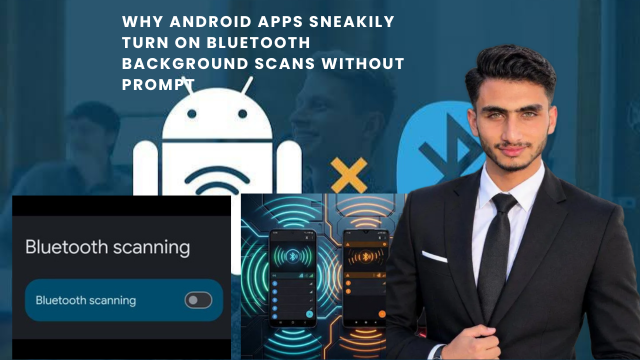
Disable Bluetooth Scanning Toggle Within the Scanning menu you ‘ll see a toggle for Bluetooth scanning (which is often on by default so apps can find beacons in the background). Turn this toggle off . This will Prevent apps From using Bluetooth hardware without prompting the user.
-
Restrict Individual App Permissions Go to your phone is Apps manager and Check which apps have Nearby Devices or Location permission. Set The permissions of Those unnecessary apps to Deny or Ask every Time .
-
Enable Battery Saver Mode Next thing you can do is keep the system-level Battery Saver or Adaptive Battery active to restrict background activity . This automated feature blocks unauthorized Bluetooth requests running in the background.
Otherwise if you think a specific malicious app is still running background services you can force stop or uninstall it. You can also read our guide on how to learn more about this. Ultimate Android Privacy Setup Guide You can also check it.
Deep Dive Into Location Services and Bluetooth Pairing Abuse
The next thing you need to understand is that Bluetooth scanning is used not only for data transfer but also for precise location triangulation. When Bluetooth is on, the phone scans for signals from nearby routers and smart devices allowing it to determine its exact location even without GPS.
Simply put this is a backdoor used by advertising networks to track you. The best way to prevent this is to follow the steps above so that you can remain in complete control of your phone.
Alternative approaches
Look if you feel that standard Android security controls aren’t enough and you want an ecosystem that’s more strict on privacy there are some alternative approaches available in the market.
You Can explore these options:
-
GrapheneOS / CalyxOS (Privacy-Focused Custom ROMs): If You want extreme privacy these open-source operating systems give Apps hard sandbox restrictions on background access to hardware components Like Bluetooth and Wi-Fi.
-
iOS (Apple Ecosystem): “Apple Devices Require strict system-level prompts and permissions for apps to perform background Bluetooth Scans Making it Nearly impossible to Perform background Scanning without a User Prompt”.
-
Third-Party Firewall Apps (e.g. NetGuard): “Even Without root You can use Local firewall tools that monitor and Block background Network traffic and suspicious Permission Requests”.
Benefit Breakdown
This table gives You an idea of the differences between default Android settings and privacy-focused approaches when it comes to Bluetooth Background scanning:
Pros and Cons Breakdown
-
Pros (Benefits):
-
Turning Off Bluetooth Scanning Toggle noticeably improves the phone’s battery life.
-
Apps cannot track your physical Location without GPS.
-
You get rid of background Tracking and unwanted data profiling.
-
-
Cons:
-
‘Some legitimate Features like fast device pairing or Smart home auto-connect may experience slight interruptions’.
-
‘Checking individual Permissions for each App Can Be a Bit Tedious’.
-
Frequently Asked Questions (FAQs)
Will turning off Bluetooth Scanning Stop my Wireless earphones or smartwatch from Working? Actually turning off background Scanning has no effect on your connected devices. When you use your earphones or smartwatch the active connection will work smoothly as before but apps won’t be able to secretly search in the background.
Why do some apps try to turn on Bluetooth without permission?
Simply put many retail maps and social media apps use beacons and nearby devices to determine your exact physical location in order to show you targeted advertisements.
Does simply denying location permission stop background Bluetooth scans?
No most modern Android versions have a separate location permission and a separate system-level Bluetooth scanning toggle. Unless you specifically turn off the scanning toggle apps continue to query hardware in the background.
Does background Bluetooth scanning also use up my mobile data limit?
Otherwise data consumption is pretty negligible but this process keeps your phone’s Bluetooth radio constantly awake with the primary impact being battery drain.
Are these settings reset after a system update?
Yes sometimes some background scanning preferences revert to their default state after major Android system updates or security patches are installed so it’s important to cross-check the settings after the update.
Final Think
Most importantly your phone is your personal device and you should have complete control over its hardware. Stealthy background scans not only drain your battery but also violate your digital privacy.
Look bro go into your phone settings right now turn off that background Bluetooth scanning toggle and take complete control of your device’s security!