Introduction:
Look brother whenever we download a free proxy or virtual private network to hide our identity on the internet we think that we are completely secure. But the actual truth is just the opposite. If you want to know why free VPN apps leak your real DNS server addresses and home locations then you will have to understand the backend server architecture of these apps. Look brother many free apps that are available on Play Store or App Store do not have the resources to maintain proper encryption tunnels. What this simply means is that when you browse your actual DNS request is routed to your local Internet Service Provider and your exact home location is leaked like water.
Why Free VPN Apps Leak Your Real DNS Server Addresses and Home Locations
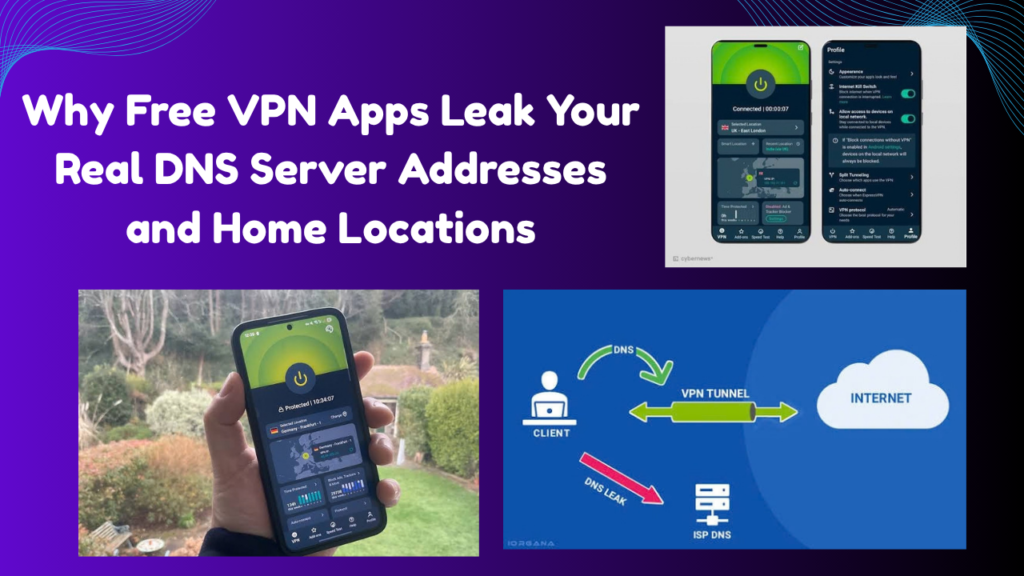
So the Point is that a secure VPN Connection is Not just about masking IP addresses. When you click On a Website your Browser sends a DNS (Domain Name system) query that translates the domain Name into an IP address. Free VPNs typically don’t have proper DNS routing configured.
Most importantly these free apps are designed to show ads and monetize user data. Therefore when your connection drops or the app switches a DNS leak or IPv6 leak occurs. Look if you Cybersecurity and Infrastructure Security Agency Guidelines Or if you read the official privacy frameworks you will understand how unprotected tunnels expose your real location.
You can read our old guide on this topic. Complete Guide to Secure Browsing & VPN Protocols You can also read by linking to where we have explained in detail about tunneling protocols (like WireGuard and OpenVPN).
How to Test and Fix DNS Leaks on Your Device
If you want to check whether your current VPN is leaking your real identity or not here is a clear 3-4 step path that you can follow to test and fix your security:
-
Disconnect and Check Base IP Disconnect your VPN and go to any standard IP check tool (like ipleak.net). Note what your ISP and real home location are showing.
-
Connect Free VPN and Run DNS Leak Test Now connect your free VPN and go to the leak testing websites again. Check if they still show the DNS servers of your local ISP or the name of your real city. If so it means a DNS leak is active.
-
Enable Kill Switch Feature Go to Your VPN app is settings and find and turn on the Kill Switch toggle. This Feature instantly blocks internet traffic when the connection becomes unstable to prevent data Leaks.
-
Switch to a Trusted No-Log Provider If the free app is leaking repeatedly uninstall it immediately and shift to a verified audited and paid no-log VPN provider that offers strong DNS leak protection.
Otherwise if you need to perform manual configuration you can manually set up custom DNS servers (like Cloudflare or Google DNS) on your device. You can also use our Advanced Network Security & DNS Setup Guide You can also check it.
WebRTC and IP Exposure Mechanics in Cheap Proxies
The next thing you need to understand is WebRTC (Web Real-Time Communication) leaks. Many free browser extensions and apps mask your IP address but the browser is WebRTC protocols expose your real public and local IP address through background requests in the backend.
Simply put free apps only create a superficial shield but leave security holes inside. Blocking these leaks requires using browser extensions or strict firewall rules to keep your data safe.
complete confidence in your digital privacy
Look if you want complete confidence in your digital privacy and want to avoid the risks of free VPNs there are some trusted and audited alternatives available in the market.
You can Explore These options:
-
ProtonVPN (Free & Paid Tiers): ProtonVPN is Known For its strict no-logs policy and built-in DNS leak protection with its free tier also providing Secure tunneling without any data Leaks.
-
Mullvad VPN: This is a highly privacy-focused VPN that does not even ask for an email address and offers foolproof DNS/IPv6 leak block Functionality along with the advanced WireGuard Protocol.
-
Cloudflare WARP (1.1.1.1): If you do not need heavy streaming location switching like a VPN but just fast and encrypted DNS browsing, this is a great free alternative.
Advantages and Disadvantages of Benefit Breakdown
This table gives you an idea of the difference between free VPN apps premium no-log VPNs and custom encrypted DNS in terms of privacy and leaks:
Advantages and Disadvantages Breakdown
-
Advantages
-
Using a premium or verified alternative eliminates DNS and location leaks.
-
When the kill switch feature is Activated the Data remains safe Even if the connection Drops.
-
Encrypted tunnels prevent your ISP from seeing your browsing history.
-
-
Disadvantages
-
Free VPNs which may seem tempting are actually the biggest threat to security.
-
Good paid VPNs require a small financial investment.
-
Frequently Asked Questions
Do all free VPN apps really leak our real location?
In fact most free apps that claim unlimited bandwidth at zero cost have no way to cover infrastructure costs other than tracking and selling user data which is why DNS leaks are common.
How can I check if my VPN is leaking DNS?
Simply put you can visit any trusted leakage test website (like ipleak.net or dnsleaktest.com) and check whether the ISP showing there is your real country or your VPN server’s.
Can using Incognito mode prevent leaks from free VPNs?
Otherwise the browser is Incognito mode only hides your local device history but if your VPN is leaking DNS your real location will be exposed at the network level regardless of the browser mode.
Are the risks of DNS leaks the same on both mobile and laptop devices?
Yes whether you are using Android or Windows if the VPN client software is not properly configured DNS requests on both devices can leak through the local network.
What is a kill switch and how does it prevent DNS leaks?
A kill switch is a security feature That instantly Blocks your phone or PC’s Internet traffic if the VPN connection suddenly Drops so that your real IP and DNS are not exposed On the unencrypted network.
Final Think
Most importantly putting your digital privacy and real home location at risk for something free is the ultimate foolishness. If you want to stay truly secure it is best to stay away from these dangerous free apps.