Introduction:
Look brother when we talk about privacy the name of Brave Browser comes first in the mind. Seeing its Private Window with Tor feature people often think that now their connection has become 100% anonymous and no one can trace them. But in reality it is not that easy. If you think that you are safe then you have to understand that Why Brave Browser Tor Tabs Can Leak Real IP Data and How to Secure It Tight is such an important topic.
Imagine thinking you are browsing the dark web or restricted sites using onion routing while your real ISP IP address is leaking in the background. This is a huge illusion that puts many people’s security at risk.
So the thing is Brave is a general-purpose browser not dedicated anonymity software. In this Article we will take a closer Look at why These leaks happen and How to prevent them.
Why Brave Browser Tor Tabs Can Leak Real IP Data
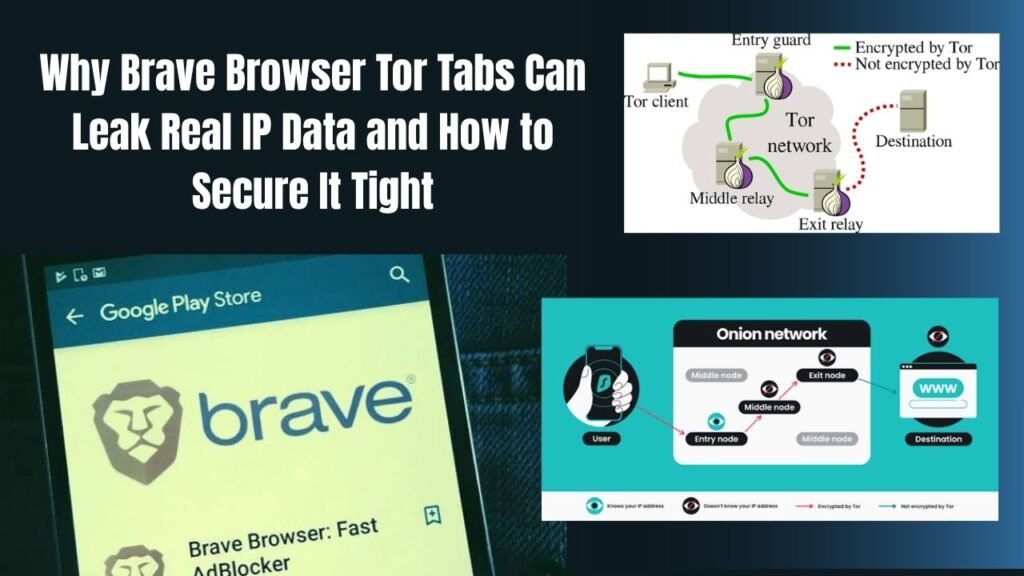
This simply means that while the Brave browser’s Tor tabs do use the underlying Tor network its architecture is quite different from the official Tor Browser. When you open a tab in Brave traffic is routed through circuits but the browser’s main processes plugins and local configuration are still running on the standard Chromium engine.
Some of the main reasons that can Cause Leaks are:
-
DNS and WebRTC Leaks: If the Browser is not Properly configured WebRTC Scripts can expose your local and public IP Addresses.
-
Browser Fingerprinting: Brave is User-agent and device characteristics are often unique compared to the standard Tor browser making it Easier for Trackers to identify you.
-
Background Extensions & JavaScript Execution: If you Allow certain Scripts they Can establish direct Connections and show your real Network path.
For more details about this technical mechanism you can Tor Project Official Architecture Guide You can read this article which explains the core rules of network anonymity.
When you rely entirely on the privacy tools integrated within a standard browser a false sense of security is created. Most importantly, attackers and ISPs exploit these minor configuration gaps.
-
ISP Monitoring: If there is even a slight break in bridging or circuit routing your internet service provider can see which node you are connecting to.
-
Compromised Sessions: If you are using Tor tabs with your main profile there is a risk of cookie and cache cross-contamination.
-
Plugin Interference: Third-party extensions that you have installed in normal Windows often try to access the background traffic of Tor tabs as well.
Guide to Securing Your Private Tor Connections
Look if you want to avoid any kind of data leak while using Brave is Tor tabs you will need to follow some strict security steps. By implementing these you can significantly tighten your connection:
-
Disable WebRTC Globally: WebRTC scripts are the biggest reason that reveal the real IP address from within the browser. Go to Brave settings check privacy shields or use a trusted WebRTC blocking extension to completely block local IP leaks.
-
Check Your IP on Trusted Portals: Whenever you open the Tor tab do so before going directly to any sensitive site. IPLeak Official Portals Visit websites like to verify whether your displayed IP address truly belongs to a Tor node or if your real ISP address is being leaked.
-
Avoid Logging into Personal Accounts: Never log into your personal Google social media or banking accounts while on a Tor tab. The moment you log in with a personal identity the entire concept of anonymity is lost.
Brave Tor Tabs vs. Official Tor Browser
Advantages and Disadvantages of Using Tor Integration in Standard Browsers
Most importantly what are the advantages and disadvantages of using Tor features in a standard browser. Here is an honest breakdown:
-
Advantages:
-
There is no need to download any heavy software separately the Tor tab opens in one click.
-
It is very easy to switch between normal browsing and private browsing.
-
GsTrendy Tech Guides Or you get fast access for casual tech exploration.
-
-
Disadvantages
-
Due to the Chromium-based architecture there is always a risk of deep-level leaks.
-
Strict cryptographic isolation is not available here as in the official Tor Browser.
-
Alternative Privacy Tools and Browsers
Otherwise if you need 100% secure anonymity and do not want to risk any IP leaks there are some better alternatives you can use:
-
Official Tor Browser: This is the safest option specially designed to prevent browser fingerprinting or IP leaks. You can read more about it here. Tor Project Download Hub But you can read it.
-
Mullvad browser: This is An Advanced Level Privacy browser Created in Collaboration with Tor Project and mullvad VPN That Provides Superb tracking Protection for Desktop Users.
Frequently Asked Questions
Do I Need a separate VPN to Use Brave is Tor aTbs?
No Brave is Tor tabs route their traffic through three encrypted nodes of the Tor network so there is no need for a separate VPN. On the contrary if you use Tor over a VPN (VPN over Tor) speeds will be very slow and some websites will block access.
Can Brave Tor tabs open the dark web?
onionYes! You can directly access URLs in Brave is or tabs . But as we discussed if the browser is internal scripts and WebRTC settings are Not tight there is a risk of real identity exposure.What is the biggest reason why Brave Browser Tor Tabs can leak real IP data?
The biggest reason for this is that Brave is a general browser that runs standard web components in the background. If a website runs a malicious JavaScript or WebRTC probe it can extract the real IP address from the browser’s underlying network layer.
Are incognito mode and Brave Tor tab the same thing?
Absolutely not! Incognito mode not only prevents history cache and cookies from being saved on your local computer your real IP address still belongs to your ISP. Meanwhile, Tor encrypts your traffic over the global onion network.
If IP Gets leaked Then how to fix it immediately?
If you suspect an IP Leak Immediately close your Tor tab clear your browser Cache and ensure no extensions are Running in the background. Switching to the official Tor browser is always the safest Option.
Final Think
So the point is IT IS not wise to compromise your digital security for the sake of convenience. If you need serious anonymity it is crucial to take precautions rather than blindly trusting a few tablets Of Brave.
check your browser is security settings block WebRTC leaks and be sure to share this important technical guide with your tech geek friends!
-