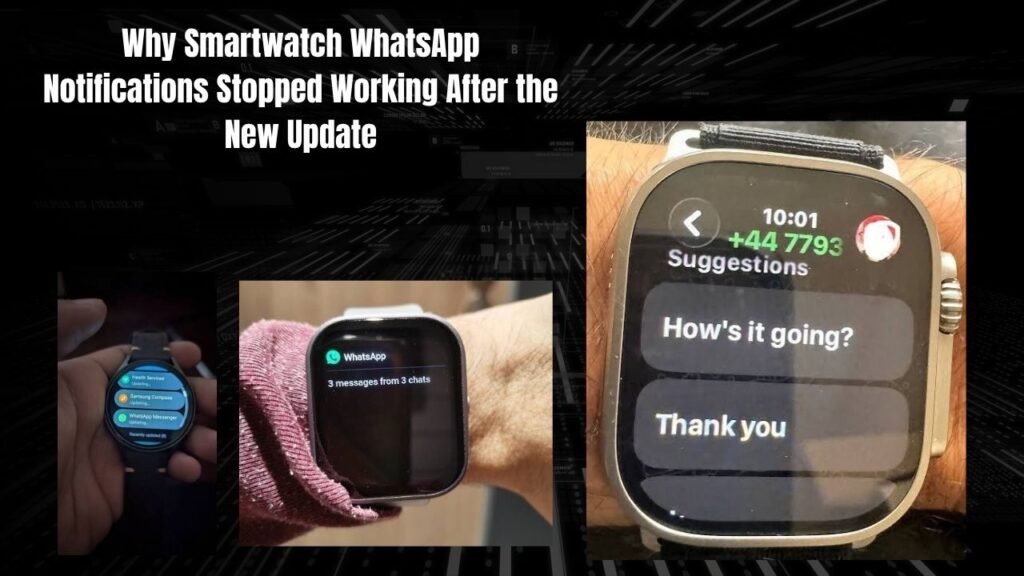
Introduction:
Look whenever a new software update comes to our phone or smartwatch we assume it is going to be something better. But often after the update old settings get lost and some features stop working.
If you are suddenly encountered this problem you are not alone. Many users are asking why Smartwatch WhatsApp Notifications Stopped Working After the New Update and what is the permanent solution. Basically the background permission policies and battery optimization rules in the new update become so strict that companion apps get killed in the background.
So with a few simple settings changes you can get instant message alerts back on your watch. Otherwise you will always be afraid of missing an important message! Read our guide on fixing Bluetooth pairing issues with smartwatches.
Why Do Smartwatch WhatsApp Notifications Stop Working After Updates?
This simply means that whenever a new version of the operating system (Android, iOS) or companion app (like Da Fit HryFine Zepp or Watch app) is released security restrictions at the OS level increase.
Look modern smartphones block apps that constantly request notification access to prevent background battery drain. When your watch is companion app runs in the background in sleep mode incoming WhatsApp messages won not be forwarded to the watch. Furthermore new firmware updates require manually re-allowing notification listener access.
Most importantly WhatsApp itself is constantly updating its background protocols and end-to-end notification handling. When the bridge between the app and the watch breaks notifications stop coming. Google Android Developer Documentation You can read more about background restriction rules in detail by visiting here.Check out our complete guide on smartwatch companion apps.
Prerequisites and Quick Diagnostic Before Troubleshooting
The next most important Thing is to check that Your basic Connection is okay. Before you begin direct troubleshooting make sure to Verify these basic things:
-
Bluetooth Connection: First of all check Whether the Bluetooth connection Between the phone and smartwatch is stable or is getting disconnected in Between.
-
App Background Permission: Ensure Of companion app up battery optimization Unrestricted or No restrictions set.
-
Do Not Disturb Mode: check that DND or sleep mode is not active on the Phone or watch which is Blocking notifications.
-
App Updates: Check the App Store to See if the companion app has Received the latest patch and Needs to be Installed Learn how to Manage background app Permissions.
Fixing WhatsApp Alerts On Your Watch
Look if Messages are not arriving even after these basic Checks you will need to fix some Specific settings. Follow These steps Step-by-Step:
-
Re-enable Notification Access: Go to Your phone is settings Search for Special App Access or notification access. There Toggle off and then back on Access for your Smartwatch is companion app (like Da Fit or HryFine).
-
Lock App in Recent Apps: Go to The phone is recent Apps menu tap the Companion app is icon to Lock it so that the phone does not Kill the app From the Background while Clearing RAM.
-
Check App-level notification toggles: Go To Device settings Within The Companion App open the Notifications Or App alerts Section and Ensure That The WhatsApp toggle is Properly checked Or enabled.
-
Unpair and re-pair Device: If the above Steps Don not work go to Bluetooth Settings and unpair the Watch Restart the phone and then complete a Fresh Pairing setup. Read our Troubleshooting Guide for Persistent Bluetooth Pairing loops.
Using Alternative Companion Apps
In fact if the new update of the default Companion app itself is bugged and the notifications are not getting fixed there are some alternative ways to try:
-
Gadgetbridge: If your watch is compatible this open-source companion app provides stable notification push without any unnecessary background restrictions. Explore open-source watch utilities.
-
Modded Companion APKs: Many developer communities create modified versions of official apps that patch notification listener bugs.
-
Smart Notifications Third-Party Apps: There are some lightweight apps available on the Google Play Store that specifically forward missed app notifications to wristbands and clones via Bluetooth.
Why Smartwatch WhatsApp Notifications Stopped Working After the New Update
Advantages and Disadvantages App Permission Management
This simply means that when you manually adjust permissions and battery restrictions it has its advantages and downsides.
Advantages:
-
Instant message alerts from WhatsApp and other important apps start again.
-
The phone does not kill apps in the background which keeps the connection stable.
-
The problem of missed notifications is solved forever.
Disadvantages:
-
Unrestricting background apps may consume a little more battery.
-
The old bug of repeatedly resetting permissions may return in some phones.
-
Non-Stop vibration Alerts Can also Drain the Watch is battery quickly. learn How to optimize smartwatch Battery Life.
Frequently Asked Questions
After The update notifications from other apps are coming but why are WhatsApp notifications stopped?
Look the reason for this is that the WhatsApp toggle in the individual app notification list within the companion app may have been unchecked. Go to the app settings and specifically re-enable the WhatsApp notification switch.
Will changing the phone is battery optimization settings fix notifications?
Yes absolutely! Basically Android and iOS is aggressive battery saver features put background apps to sleep. When you set the companion app to Unrestricted battery mode notifications start coming.
Will updating the watch is firmware solve this problem?
If the issue is caused by a bug in the companion app or the watch is official firmware the latest hotfix update from the developer will likely resolve the issue. Keep checking for updates from the App Store or the companion app.
Why do notifications stop working again after restarting the phone?
On some phones background policies are reset after a system reboot and apps no longer receive auto-start permission. This requires enabling the Auto-Start permission in the phone is settings.
Do iPhones also experience the same update issues?
Yes even on iOS when a new software update comes Bluetooth sharing permissions and the Share System Notifications toggle get disabled which needs to be manually fixed from the iPhone is bluetooth settings.
So what are you Waiting for? Fix These simple settings right now and start receiving All your WhatsApp messages Seamlessly on your wrist. If You have any Other questions please leave a Comment below!
-