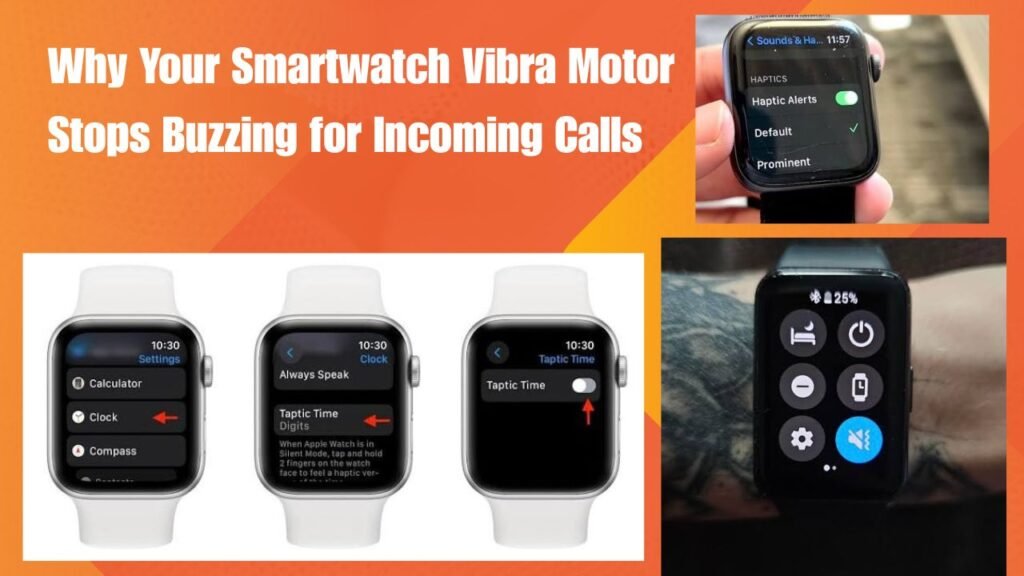
Get Started:
Look it so is strange when your phone is in your pocket and you think you are about to hear a slight buzz on your wrist but your watch remains silent. You end up missing important calls because you do not know who’s calling. If you are also facing this frustrating issue and want to understand Why Your Smartwatch Vibra Motor Stops Buzzing for Incoming Calls you are come to the right place.
In fact when the call notification motor or haptic engine stops responding users assume the hardware is damaged. The truth is in 90% of cases it is not a mechanical failure but rather a minor error in app permissions Do Not Disturb modes or Bluetooth sync. In this in-depth guide we will explain step-by-step how to change your watch is silence to buzz again so you can receive every call in a timely manner.
Why Your Smartwatch Vibra Motor Stops Buzzing for Incoming Calls Mechanism
This simply means that when an incoming call comes to the phone the operating system is trigger signal reaches the smartwatch via Bluetooth but the watch is firmware or haptic driver cannot execute it. When communication between the Bluetooth stack and the notification listener service breaks down the vibration motor is not triggered.
Otherwise if the background app killer has terminated the companion app the call alert signal will be interrupted mid-way. There are a few technical and software reasons why this issue occurs in the real world:
-
Notification Access Revoked: If your phone is privacy settings do not allow a companion app (like Da Fit FitPro or Zepp) to read notifications alerts for calls and messages are blocked.
-
Do Not Disturb (DND) / Bedtime Mode Active: Many times we unknowingly leave the DND mode on either on the phone or on the watch screen due to which all the vibrations and sounds get muted.
-
Haptic Intensity Set to Off: Some smartwatches have an option in the settings to set the vibration level to Off or Low which stops the motor from buzzing.
-
App Background Restriction: Modern Android and iOS devices kill background apps to save battery which breaks live call sync.
You can read more technical details about this. Android Developer Notification Guide But where deep insights about notification listeners are given. Also you can check your old settings. Internal Settings Guide You can also refer to which will help in your watch optimization.
Look if your watch still goes silent when you receive a call there is no need to panic. Just follow the steps below and get your watch is vibrato motor back in action.
Companion App Me Call Alerts and Permissions Check
First open the official companion app for your watch on your phone (like you App Permissions Portal You can also see the guidelines on
-
Go to the Device / Settings section of the app and Check if the Call Notifications toggle is on.
-
If the toggle is Off turn it on and give the app full permission for notification access in the phone is system Settings.
Disable DND and Theater Mode on the Watch
Open the Quick Settings panel by swiping up On your Smartwatch screen.
-
Check if Do Not Disturb (DND) Bedtime Mode Or Theater Mode is active.
-
If any of these modes is on disable it immediately as these features forcefully block the vibration motor during incoming calls.
Change the Haptic Intensity and Vibration Settings
Some advanced smartwatches and fitness bands have the option to customize vibration strength.
-
Go to Watch Settings > Vibration or Sound & Haptics .
-
If the setting is Off or Weak set it to Strong or Standard so the motor draws the proper current and buzzes.
Clear the Bluetooth Cache and Re-pair
Sometimes the Bluetooth protocol gets corrupted causing call audio and haptic triggers to not pass through.
-
Go to the phone is Bluetooth settings and Forget / Unpair the watch .
-
Restart both your phone and watch and then complete a fresh pairing using the companion app. This will establish new connection parameters and start vibration
Advantages and Disadvantages and FAQs
Look let’s say you are checked all your settings and your app permissions are fine but your watch is vibra motor still is not working. Iimt is ortant to understand that some low-budget watches have hardware limitations. If You want to Avoid the missed call problem you can try a few Alternative Methods:
-
Third-Party Notification Apps: Some advanced apps like Notify for Amazfit / Mi Band or Master for Band are available on the market that offer the option to set custom vibration patterns. If the stock app does not support them these apps handle notification triggers better. You can learn more about this here Google Play Store Developer Portal about.
-
Phone Ringtone & Flash Alerts: Until the watch is fixed you can customize the phone is audio profiles and camera flash alerts so you don’t miss any important calls.
Vibration Failure Causes vs. Solutions
This table helps you understand what quick fixes are available for different issues:
Issue / Root Cause Impact Level Fix Complexity Recommended Action Do Not Disturb Mode On High (Complete Silence) Very Low (1 click fix) Disable DND from quick panel App Notification Blocked High (No Alerts at All) Low (Permission setup) Allow notification access in phone Weak Vibration Setting Medium (Low or No Feel) Low (Menu adjustment) Increase haptic strength to strong Hardware Motor Failure Critical (Permanent Issue) High (Service center visit) Repair or replace the vibrating unit Advantages and Disadvantages of Smartwatch Vibration Notifications
While getting vibration alerts On your wrist is a very Convenient feature it does have it is Advantages and Disadvantages:
Advantages:
-
Discreet Alerts: Without Taking out the phone you Can know whose call is coming in a meeting or public place.
-
No Missed Calls: Even if the phone is on silent the buzz on the Wrist immediately catches your attention.
-
Customizable Patterns: On some devices you Can set unique vibration styles for different contacts.
Disadvantages :
-
Battery Drain: The Watch is battery gets drained a little faster when the haptic motor or vibrating Mechanism is active.
-
False Triggers / Missed Alerts: Sometimes Vibrations On Calls are missed due to software glitches which Causes Confusion.
Frequently Asked Questions
Can The Vibrating motor of a smartwatch Suddenly fail?
In simple words yes if the watch falls in water or gets a hard impact (shock) then the soldering of the motor inside may break due to which it Stops buzzing.
Why is there no vibration on calls but there is vibration on messages?
The main reason for this is that the companion app specifically has Call Notifications toggled off while app notifications remain on. Cross-check the call permissions in the app’s settings.
Can a factory reset fix the vibration problem?
Otherwise if this is Happening due To a software bug or firmware Glitch then doing a factory reset refreshes the watch is system and The vibration starts working again.
Does the Watch stop vibrating when The battery is low?
Yes in Most Smartwatches When the Battery Drains to a specific level (Like below 15% or 10%), the power saving Mode is automatically Activated Which Disables the Haptic Motors to Save Battery.
What should I do If the motor does not start Even after checking all The settings?
If the motor Still does not buzz after trying App Settings permissions and resetting it is most likely a hardware failure. You will need to contact Your local repair shop or brand service center.
The most important thing is that small software settings are the biggest cause of problems in tech gadgets hence step-by-step troubleshooting should always be the first step!
-