











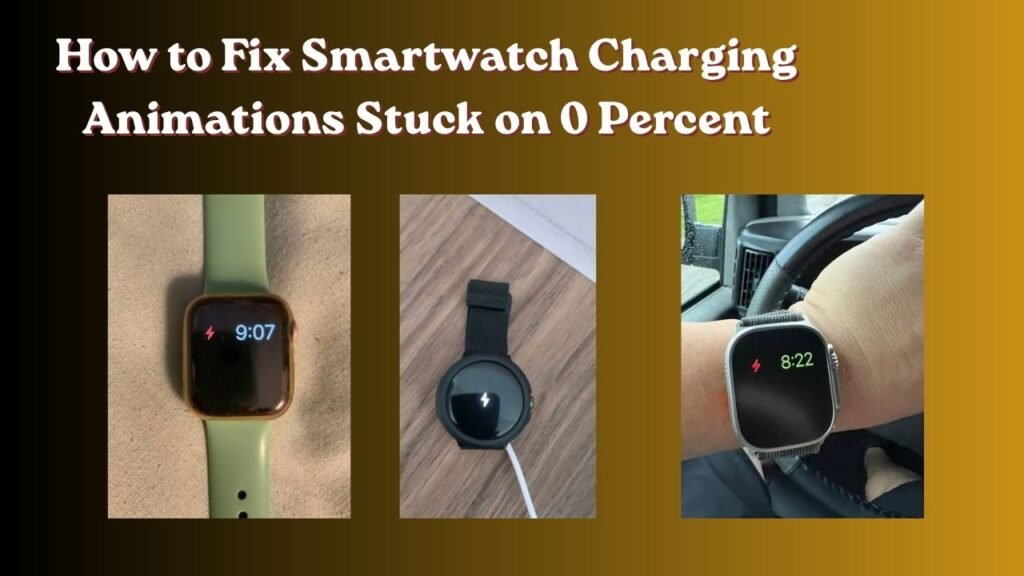
How to Fix Smartwatch Charging Animations Stuck on 0 Percent

How to Fix Smartwatch Charging Animations Stuck on 0 Percent

 Let’s Get Started:

Look brother if the issue of How to Fix Smartwatch Charging Animations Stuck on 0 Percent is still appearing on the screen of your smartwatch even after charging it and the percentage is not going up then there is no need to worry at all. This is a very common technical issue which often occurs when the battery of your watch gets completely drained due to not being used for a long time.

In fact when a gadget is battery runs out of battery power users often assume the charger is Damaged or the watch is motherboard is damaged. But The truth is With a little smart troubleshooting you Can easily fix this problem without incurring any additional costs. In this article we will explain in detail why This happens and How to fix it step-by-step.

Smartwatch Charging Animations Stuck on 0 Percent?

Simply put when a smartwatch is lithium-ion battery is drained beyond its limits it enters a deep discharge state . In this state the battery is voltage drops below a safe operating limit.

When you connect your charger the internal chip inside the watch needs some power to turn on the screen and boot up the charging animation. But the battery is so weak that it can not handle the incoming current.

Apart from this there are some other main reasons as well:

  • Dirty Charging Pins: Due to Accumulation of Dust or Sweat on the Metal contacts On The back of the watch a proper Connection Cannot be established.

  • Low-Output Power Sources: Laptop USB Ports or weak power banks may not provide enough current to kickstart a Deep-discharge battery.

  • Extended Zero-State: If the battery remains at zero for more than 3 or 4 hours the internal safety circuit simply refuses to draw current.

Otherwise people end up buying new chargers or expensive batteries without thinking, when the real reason is simply a voltage drop .Official Smartwatch Troubleshooting Guide But you can still check its interesting technical details.

Easy Ways to Fix It at Home

If your watch is also caught in this 0% trap then check out these simple steps that you should follow at home:


Clean the Charging Pins Properly:2 mins.

Look carefully at the Metal contacts on the back of the Smartwatch and the pins of the magnetic Charger. Often a Thin layer of sweat or dust Gets stuck there. Take a cotton swab (earbud) apply a little Rubbing alcohol On it and Clean the pins thoroughly. Verification: If the charging icon starts blinking on the Screen immediately after Connecting the Charger then Understand that the Connection is Fine.

Switch to a Proper Wall Adapter:1 min.

People often connect their watch to a laptop is  USB port or a low-output power bank which can have very weak current. Instead use a standard 5V/1A wall charging adapter  which provides a steady current. Verification: After charging for 5-10 minutes the watch should feel a slight warmth on the back indicating current flow.

Apply the 30-Minute Force Rule:30–45 mins.

Deeply discharged batteries take time to wake up. Do not remove the charger immediately after seeing 0% on the screen. Let the watch charge without disturbing it for at least 30 to 45 minutes . Verification: The battery percentage will start increasing after some time as the voltage level comes up.

Perform a Force Restart:1 min.

If the screen remains frozen even after charging for a while press and hold the watch is physical buttons for 10 to 15 seconds to Trigger a hard Reset. Verification: The company is brand logo will appear on the Watch is screen indicating The Device has Successfully Rebooted.

 When to Visit a Service Center

Look brother if you have tried all the steps given above and still the charging animation of the smartwatch is not moving from 0 percent then it simply means that the battery life is over or the internal hardware is burnt Best Smartwatches Under 5000 in India]

In such a situation if you need to buy a new watch there are some better alternatives available in the market that come with advanced battery management and deep discharge protection:

  • Amazfit / Zepp Health Series: These watches are known for their long-lasting battery life and stable software. [Internal Link Placeholder: Zepp Life App Setup Guide]

  • Samsung Galaxy Watch and Apple Watch: If you are looking at the Premium segment, their charging mechanisms are quite Smart and low Voltage warning is Shown directly on the screen. Consumer electronics Repair safety Standards

Most importantly if Your watch is still under warranty visit an official service center instead of attempting repairs yourself. Otherwise having a local technician replace the battery could permanently damage the watch is  water resistance. Waterproof Smartwatch Maintenance Tips

Advantages and Disadvantages of  Breakdown

Check out this comparison table to understand the different ways to charge your smartwatch and their risk factors:

Charging Method Safety Level Speed / Efficiency Risk Factor
PC / Laptop USB Port High (Low Current) Very Slow Dead batteries can cause a 0-percent freeze issue
Standard 5V/1A Wall Adapter Optimal Recommended Absolutely safe for regular and overnight charging
Fast Charger / Multi-Port Hub Low to Medium Fast The watch may heat up if there is a voltage mismatch.

Advantages And Disadvantages Breakdown

  • Advantages

    • The overall health and longevity of the battery is always maintained.

    • Get rid of issues like sudden shutdown and 0 percent screen freeze.

    • Keeping the charging pins clean regularly ensures smooth power transfer.

  • Disadvantages

    • Using cheap or local adapters can short the motherboard.

    • Forcibly charging a completely dead Battery Repeatedly generates Excessive Heat.

Frequently asked Questions

Is it Safe to Leave a Smartwatch stuck at 0 Percent to change harge overnight?

In fact if you are using an original 5V/1A wall adapter it is safe to leave your Watch charging for a few hours as modern watches have overcharge protection. However if you are using a Local or high-output adapter don not Leave it unattended for more than 1 or 2 hours Due to the risk of overheating.

What to do if the charging icon Does Not appear even after changing the charger?

This simply means that your charging cable is damaged or the battery inside your smartwatch is permanently dead. In this case you’ll need to visit a local repair Shop and have the battery voltage checked with a Multimeter.

Can water damage also cause the smartwatch to freeze at zero percent?

Otherwise yes! If even a little sweat or water gets inside the watch an internal short circuit occurs as a result of which the battery stops accepting current and the animation freezes at zero.

How Long Should a Deep discharge Battery be kept On Charge

Leave the charger connected for at least 45 minutes to 1 hour without any disturbance. Deeply drained cells take some time to return to their initial Voltage.

Can the charger from each smartwatch work on another watch?

Absolutely not! Each brand of watch has different magnetic pins and voltage requirements. Using an incorrect Adapter or mismatched pins can burn out the watch is internal power IC so always use original or certified accessories. [Internal Link Placeholder: Gadget Maintenance Mistakes to Avoid]

Look brother it is crucial to take timely care of your gadgets so that such problems do not arise again. If you Found this guide helpful be sure to share it with your friends who are struggling with the same issue!


Leave a Comment

Comments

No comments yet. Why don’t you start the discussion?

Leave a Reply

Your email address will not be published. Required fields are marked *



